
Storage Types#
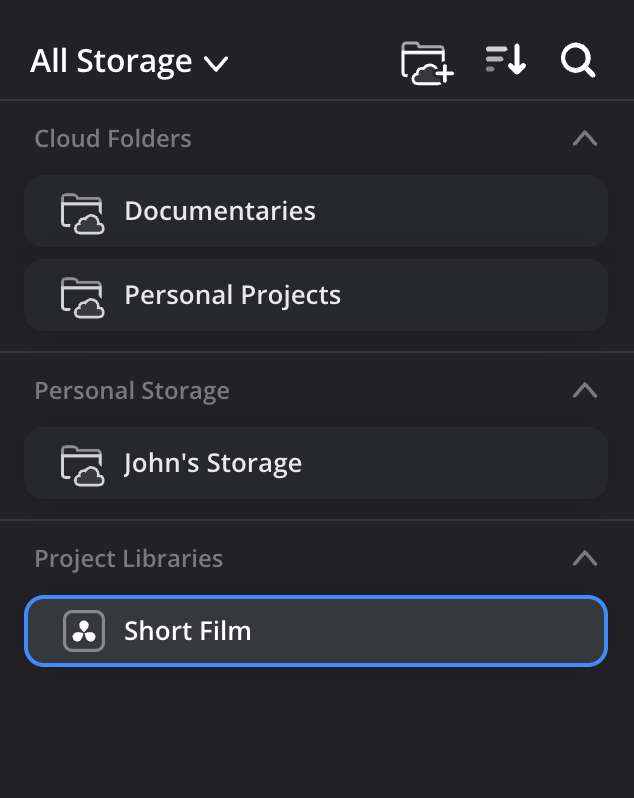
There are three types of storage available in the Cloud Storage app. These are Cloud Folders, Project Libraries and if you are logged into your personal profile, you will also have access to a Personal Storage folder.
Cloud Folders are shared storage spaces that let you share any type of media or other important files with other Blackmagic Cloud users. You can upload camera files directly to cloud folders from Blackmagic cameras, link cloud folders to DaVinci Resolve projects, and sync cloud folders to Blackmagic Cloud Store.
Project Libraries contain DaVinci Resolve Cloud Project Libraries. You can click on a project library to see the contained DaVinci Resolve Cloud projects and click a project to see the associated media files. Blackmagic cameras can record directly to DaVinci Resolve Cloud projects. Cloud Projects can also be synced locally with a Blackmagic Cloud Store.
Personal Storage is for files and folders that you don't need to share with other users. You can sync camera files directly to your personal storage from a Blackmagic Camera or the Blackmagic Camera App.